
Master the Digital SAT Systems of Equations Desmos Shortcut
Solving math problems under pressure is the hardest part of the DSAT. However, mastering the Digital SAT systems of equations Desmos strategy can save you minutes of manual algebra. Instead of juggling variables, you can use the built-in graphing tool to find answers visually and accurately.

How to Use the Digital SAT Systems of Equations Desmos Feature
On the paper SAT, you had to use substitution or elimination. Now, the process is much simpler. Whether you are dealing with linear or non-linear equations, the Digital SAT systems of equations Desmos approach works the same way:
- Enter Equations Directly: You don't need to rewrite equations in y = mx + b form. Type them into the calculator exactly as they appear in the test booklet.
- Find the Intersection: The solution to any system is the point where the lines cross. Simply click the intersection point to see the (x, y) coordinates.
- Identify Special Cases: * No Solution: Lines are parallel (never touch).
- Infinite Solutions: Lines are identical (overlap perfectly).
Solving Non-Linear Systems and Constants
The real power of the Digital SAT systems of equations Desmos method shines when you encounter a system with a circle and a line, or a parabola and a line. Doing the algebra for a quadratic-linear system can take 2-3 minutes; on Desmos, it takes 5 seconds to see the two points of intersection.
Furthermore, if a problem asks for a constant k (e.g., "For what value of k does the system have no solution?"), you can use the Slider Feature. By typing y = 2x + k, you can slide the value of k until you see the lines become parallel or tangent. This visual feedback is something paper-based testers never had.
Using the Digital SAT systems of equations Desmos method ensures you don’t make "silly" calculation errors. It is particularly powerful for "Hard" Module 2 questions where the numbers are decimals or large fractions that are easy to miscalculate by hand.
Beyond the Basics
While the Digital SAT systems of equations Desmos hack is a game-changer, it is only one of many tools available in the Bluebook app. To truly dominate the math section, you need a complete command of all shortcuts.
Level Up Your Desmos Skills
Solving systems is just the beginning. To maximize your Math score, you should also master these powerful automated shortcuts:
- 📊 Digital SAT Linear Regression Desmos: Learn how to find the line of best fit and correlation coefficients from data tables in seconds.
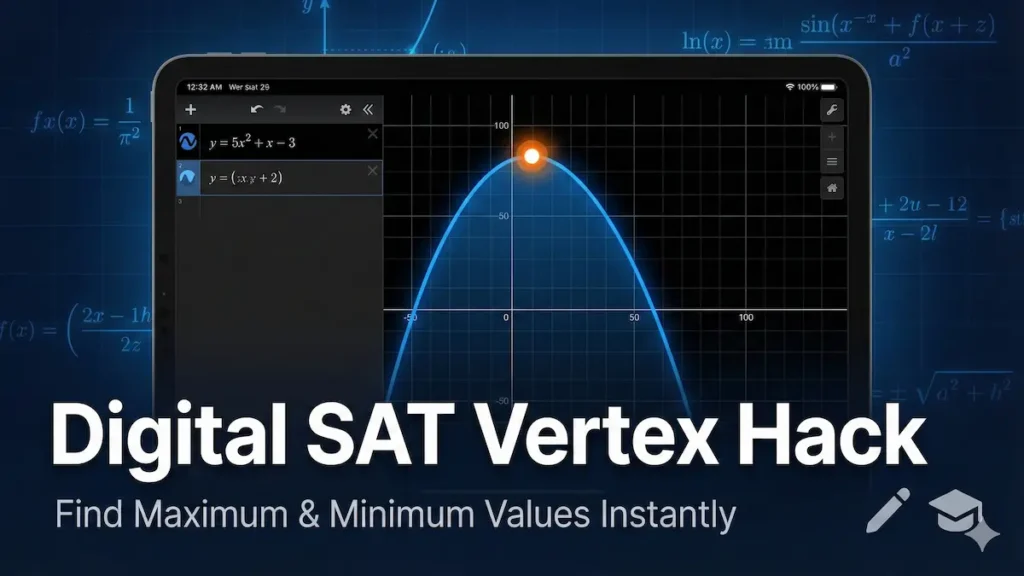
- 🎯 Digital SAT Vertex of a Parabola Desmos: Discover how to find maximum and minimum values of quadratic functions with a single click.
👉 Ready to level up? Explore our Ultimate Digital SAT Desmos Calculator Guide for advanced hacks and a live practice sandbox.
✏️ Putting it into Practice: Try this DSAT Challenge
Test your speed using the Digital SAT systems of equations Desmos method on this typical "Hard Module" question:
Problem: A system of equations is given below:
- \(y = x^2 -4x + 2\)
- y = -2x + 5
How many points of intersection (x, y) does this system have?
A) 0
B) 1
C) 2
D) 3
The Solution: If you solve this algebraically, you have to set the two equations equal to each other:
\(x^2 - 4x + 2 = -2x + 5\)
Then, you would move all terms to one side to set the quadratic to zero:
\(x^2 - 2x - 3 = 0\)
While this algebra works, the Digital SAT systems of equations Desmos shortcut lets you skip these steps and see the answer instantly on the graph. By simply looking at where the two lines cross on your screen, you can see there are exactly two points of intersection without doing a single calculation.
Correct Answer: C) 2
According to the College Board, Algebra makes up approximately 35% of the Math section, with systems of equations being a core component. Using Desmos ensures you don't lose points on these high-frequency questions.
- Mastering the Digital SAT Vertex of a Parabola Desmos Shortcut
- Digital SAT Test Score Calculator 2026 – Convert Raw Scores

- SAT Test on March 2022 in the US: Practice Exam & Answers

- SAT October 1 2022 US Practice Test: Full Exam & Answer Key

- International SAT May 2022 Practice Test: Full Exam & Answers

- Digital SAT Linear Regression Desmos: The Fastest Way to Find the Line of Best Fit

Leave a Reply